Authenticate
 Manage Users
 Customize
 Platform
- Authenticating users using your own external user store as the identity provider instead of Auth0’s user store. In this application, after a user’s first successful login authenticating with the external user store, Auth0 creates a user account but does not store a hash of their passwords and never authenticates users with the Auth0 user store.
- Incrementally migrating users to Auth0 from your external user store (sometimes called trickle or lazy migration). In this application, when a user tries to log in, Auth0 always tries to authenticate them with the Auth0 user store first. If the user does not exist there, Auth0 tries to authenticate them with the external user store and, if successful, creates the user in the Auth0 user store with the same ID and password used to log in.
- Proxying access to an Auth0 tenant in multi-tenant architecture scenarios.
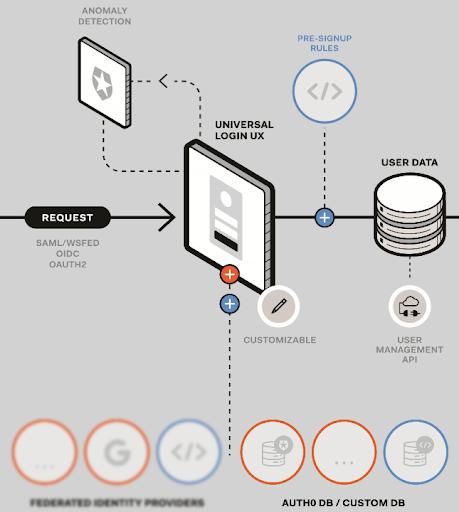
See an example infrastructure diagram with Universal Login
See an example infrastructure diagram with Universal Login
For example, as part of the workflow, custom database connections obtain user identity information from your external user store: